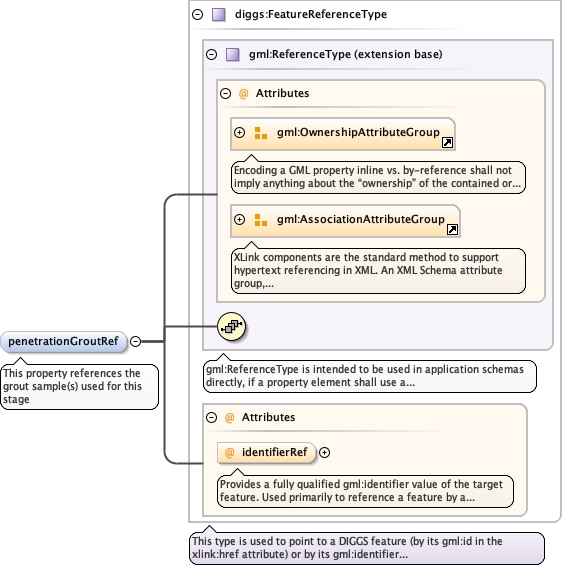
Provides a fully qualified gml:identifier value of the targetfeature. Used primarily to reference a feature by a globally uniqueidentifier as opposed to the gml:id
The 'actuate' attribute is used to communicate the desired timing of traversal from the starting resource to the ending resource; it's value should be treated as follows:onLoad - traverse to the ending resource immediately on loading the starting resource onRequest - traverse from the starting resource to the ending resource only on a post-loading event triggered for this purpose other - behavior is unconstrained; examine other markup in link for hints none - behavior is unconstrained
The 'show' attribute is used to communicate the desired presentation of the ending resource on traversal from the starting resource; it's value should be treated as follows: new - load ending resource in a new window, frame, pane, or other presentation contextreplace - load the resource in the same window, frame, pane, or other presentation contextembed - load ending resource in place of the presentation of the starting resourceother - behavior is unconstrained; examine other markup in the link for hints none - behavior is unconstrained
<element maxOccurs="1" minOccurs="0" name="penetrationGroutRef" type="diggs:FeatureReferenceType"><annotation><appinfo>diggs:GroutBatch</appinfo><documentation>This property references the grout sample(s) used for this stage</documentation></annotation></element>
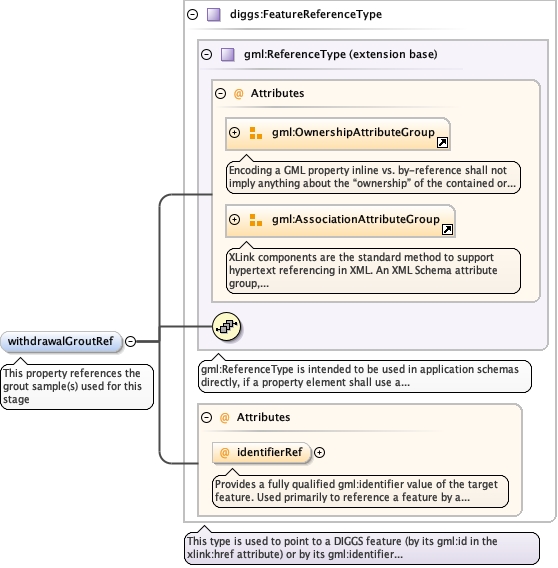
Provides a fully qualified gml:identifier value of the targetfeature. Used primarily to reference a feature by a globally uniqueidentifier as opposed to the gml:id
The 'actuate' attribute is used to communicate the desired timing of traversal from the starting resource to the ending resource; it's value should be treated as follows:onLoad - traverse to the ending resource immediately on loading the starting resource onRequest - traverse from the starting resource to the ending resource only on a post-loading event triggered for this purpose other - behavior is unconstrained; examine other markup in link for hints none - behavior is unconstrained
The 'show' attribute is used to communicate the desired presentation of the ending resource on traversal from the starting resource; it's value should be treated as follows: new - load ending resource in a new window, frame, pane, or other presentation contextreplace - load the resource in the same window, frame, pane, or other presentation contextembed - load ending resource in place of the presentation of the starting resourceother - behavior is unconstrained; examine other markup in the link for hints none - behavior is unconstrained
<element maxOccurs="1" minOccurs="0" name="withdrawalGroutRef" type="diggs:FeatureReferenceType"><annotation><appinfo>diggs:GroutBatch</appinfo><documentation>This property references the grout sample(s) used for this stage</documentation></annotation></element>
The 'actuate' attribute is used to communicate the desired timing of traversal from the starting resource to the ending resource; it's value should be treated as follows:onLoad - traverse to the ending resource immediately on loading the starting resource onRequest - traverse from the starting resource to the ending resource only on a post-loading event triggered for this purpose other - behavior is unconstrained; examine other markup in link for hints none - behavior is unconstrained
The 'show' attribute is used to communicate the desired presentation of the ending resource on traversal from the starting resource; it's value should be treated as follows: new - load ending resource in a new window, frame, pane, or other presentation contextreplace - load the resource in the same window, frame, pane, or other presentation contextembed - load ending resource in place of the presentation of the starting resourceother - behavior is unconstrained; examine other markup in the link for hints none - behavior is unconstrained
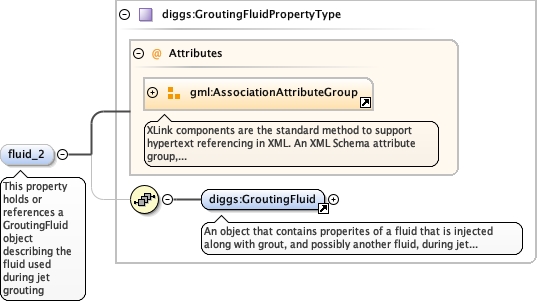
<element maxOccurs="1" minOccurs="0" name="fluid_2" type="diggs:GroutingFluidPropertyType"><annotation><appinfo/><documentation>This property holds or references a GroutingFluid object describing the fluid used during jet grouting</documentation></annotation></element>
The 'actuate' attribute is used to communicate the desired timing of traversal from the starting resource to the ending resource; it's value should be treated as follows:onLoad - traverse to the ending resource immediately on loading the starting resource onRequest - traverse from the starting resource to the ending resource only on a post-loading event triggered for this purpose other - behavior is unconstrained; examine other markup in link for hints none - behavior is unconstrained
The 'show' attribute is used to communicate the desired presentation of the ending resource on traversal from the starting resource; it's value should be treated as follows: new - load ending resource in a new window, frame, pane, or other presentation contextreplace - load the resource in the same window, frame, pane, or other presentation contextembed - load ending resource in place of the presentation of the starting resourceother - behavior is unconstrained; examine other markup in the link for hints none - behavior is unconstrained
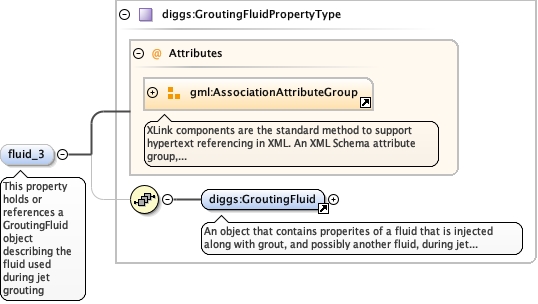
<element maxOccurs="1" minOccurs="0" name="fluid_3" type="diggs:GroutingFluidPropertyType"><annotation><appinfo/><documentation>This property holds or references a GroutingFluid object describing the fluid used during jet grouting</documentation></annotation></element>
The 'actuate' attribute is used to communicate the desired timing of traversal from the starting resource to the ending resource; it's value should be treated as follows:onLoad - traverse to the ending resource immediately on loading the starting resource onRequest - traverse from the starting resource to the ending resource only on a post-loading event triggered for this purpose other - behavior is unconstrained; examine other markup in link for hints none - behavior is unconstrained
The 'show' attribute is used to communicate the desired presentation of the ending resource on traversal from the starting resource; it's value should be treated as follows: new - load ending resource in a new window, frame, pane, or other presentation contextreplace - load the resource in the same window, frame, pane, or other presentation contextembed - load ending resource in place of the presentation of the starting resourceother - behavior is unconstrained; examine other markup in the link for hints none - behavior is unconstrained
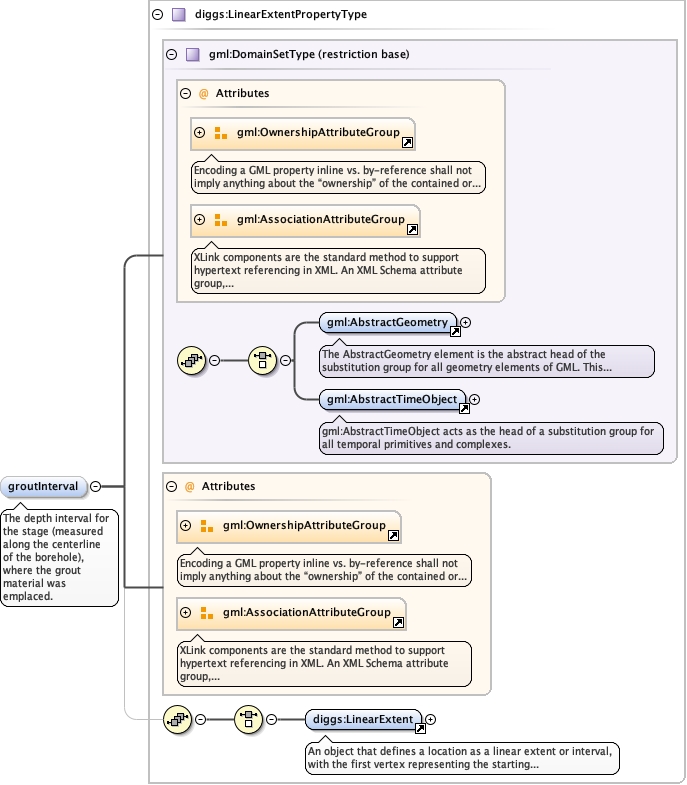
<element minOccurs="0" name="groutInterval" type="diggs:LinearExtentPropertyType"><annotation><documentation>The depth interval for the stage (measured along the centerline of the borehole), where the grout material was emplaced.</documentation></annotation></element>
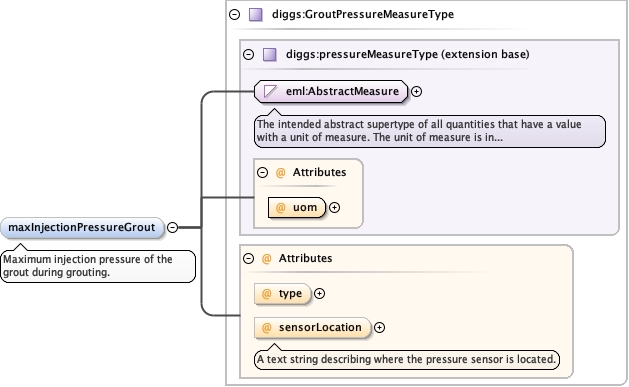
<element name="maxInjectionPressureGrout" minOccurs="0" type="diggs:GroutPressureMeasureType"><annotation><documentation>Maximum injection pressure of the grout during grouting.</documentation></annotation></element>
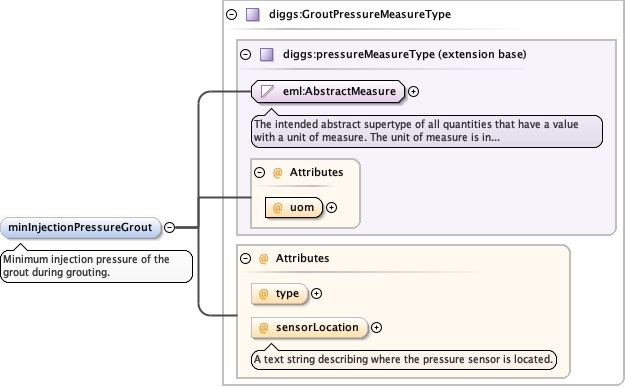
<element name="minInjectionPressureGrout" minOccurs="0" type="diggs:GroutPressureMeasureType"><annotation><documentation>Minimum injection pressure of the grout during grouting.</documentation></annotation></element>
The 'actuate' attribute is used to communicate the desired timing of traversal from the starting resource to the ending resource; it's value should be treated as follows:onLoad - traverse to the ending resource immediately on loading the starting resource onRequest - traverse from the starting resource to the ending resource only on a post-loading event triggered for this purpose other - behavior is unconstrained; examine other markup in link for hints none - behavior is unconstrained
The 'show' attribute is used to communicate the desired presentation of the ending resource on traversal from the starting resource; it's value should be treated as follows: new - load ending resource in a new window, frame, pane, or other presentation contextreplace - load the resource in the same window, frame, pane, or other presentation contextembed - load ending resource in place of the presentation of the starting resourceother - behavior is unconstrained; examine other markup in the link for hints none - behavior is unconstrained
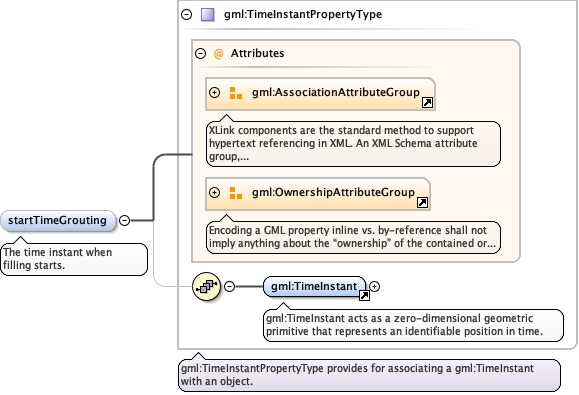
<element minOccurs="0" name="startTimeGrouting" type="gml:TimeInstantPropertyType"><annotation><documentation>The time instant when filling starts.</documentation></annotation></element>
The 'actuate' attribute is used to communicate the desired timing of traversal from the starting resource to the ending resource; it's value should be treated as follows:onLoad - traverse to the ending resource immediately on loading the starting resource onRequest - traverse from the starting resource to the ending resource only on a post-loading event triggered for this purpose other - behavior is unconstrained; examine other markup in link for hints none - behavior is unconstrained
The 'show' attribute is used to communicate the desired presentation of the ending resource on traversal from the starting resource; it's value should be treated as follows: new - load ending resource in a new window, frame, pane, or other presentation contextreplace - load the resource in the same window, frame, pane, or other presentation contextembed - load ending resource in place of the presentation of the starting resourceother - behavior is unconstrained; examine other markup in the link for hints none - behavior is unconstrained
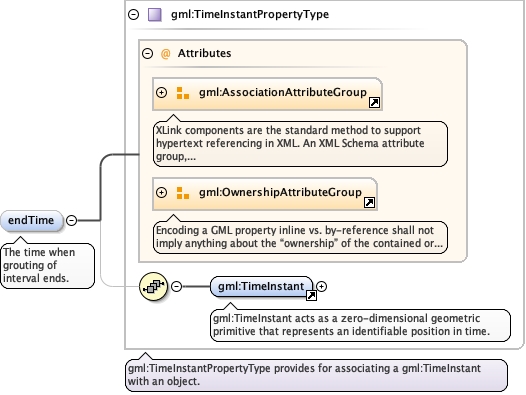
<element minOccurs="0" name="endTime" type="gml:TimeInstantPropertyType"><annotation><documentation>The time when grouting of interval ends.</documentation></annotation></element>
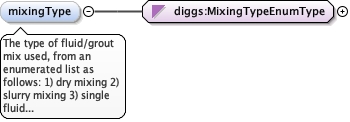
The type of fluid/grout mix used, from an enumerated listas follows: 1) dry mixing 2) slurry mixing 3) single fluid jet 4)double fluid jet 5) triple fluid jet 6) Other:anystring
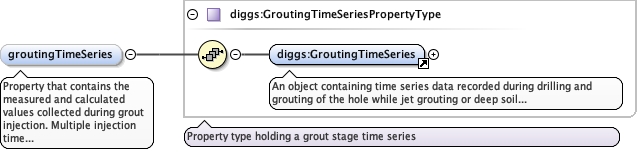
Property that contains the measured and calculated valuescollected during grout injection. Multiple injection time series areallowed to delineate between drilling and grouting, or to allow forstopping of the grouting between injectionintervals.
<element name="groutingTimeSeries" type="diggs:GroutingTimeSeriesPropertyType" minOccurs="0" maxOccurs="unbounded"><annotation><documentation>Property that contains the measured and calculated values collected during grout injection. Multiple injection time series are allowed to delineate between drilling and grouting, or to allow for stopping of the grouting between injection intervals.</documentation></annotation></element>
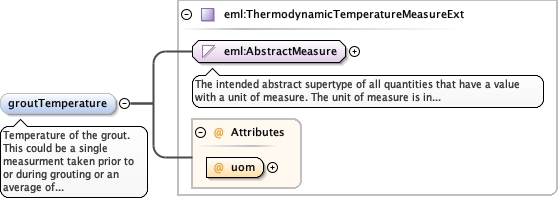
Temperature of the grout. This could be a singlemeasurment taken prior to or during grouting or an average oftemperatures measured during the grouting event. Discretetemperature measurements taken during the grouting should berecorded within the grouting time series object.
<element name="groutTemperature" type="eml:ThermodynamicTemperatureMeasureExt" minOccurs="0"><annotation><documentation>Temperature of the grout. This could be a single measurment taken prior to or during grouting or an average of temperatures measured during the grouting event. Discrete temperature measurements taken during the grouting should be recorded within the grouting time series object.</documentation></annotation></element>
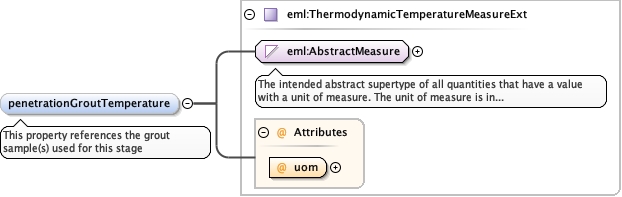
<element maxOccurs="1" minOccurs="0" name="penetrationGroutTemperature" type="eml:ThermodynamicTemperatureMeasureExt"><annotation><appinfo>diggs:GroutBatch</appinfo><documentation>This property references the grout sample(s) used for this stage</documentation></annotation></element>
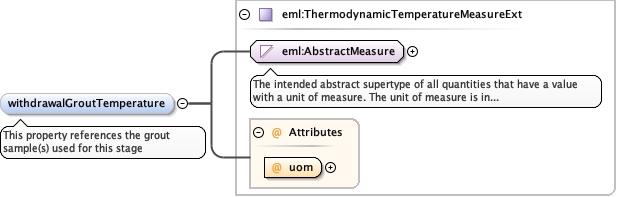
<element maxOccurs="1" minOccurs="0" name="withdrawalGroutTemperature" type="eml:ThermodynamicTemperatureMeasureExt"><annotation><appinfo>diggs:GroutBatch</appinfo><documentation>This property references the grout sample(s) used for this stage</documentation></annotation></element>
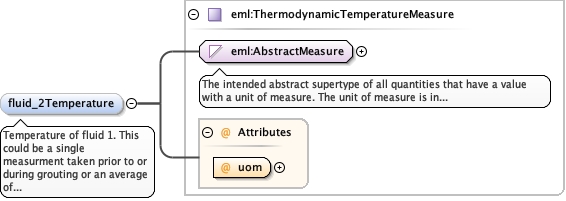
Temperature of fluid 1. This could be a single measurmenttaken prior to or during grouting or an average of temperaturesmeasured during the grouting event. Discrete temperaturemeasurements taken during the grouting should be recorded within thegrouting time series object.
<element name="fluid_2Temperature" type="eml:ThermodynamicTemperatureMeasure" minOccurs="0"><annotation><documentation>Temperature of fluid 1. This could be a single measurment taken prior to or during grouting or an average of temperatures measured during the grouting event. Discrete temperature measurements taken during the grouting should be recorded within the grouting time series object.</documentation></annotation></element>
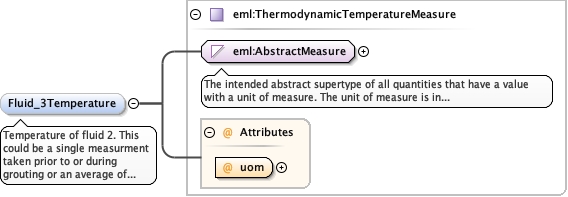
Temperature of fluid 2. This could be a single measurmenttaken prior to or during grouting or an average of temperaturesmeasured during the grouting event. Discrete temperaturemeasurements taken during the grouting should be recorded within thegrouting time series object.
<element name="Fluid_3Temperature" type="eml:ThermodynamicTemperatureMeasure" minOccurs="0"><annotation><documentation>Temperature of fluid 2. This could be a single measurment taken prior to or during grouting or an average of temperatures measured during the grouting event. Discrete temperature measurements taken during the grouting should be recorded within the grouting time series object.</documentation></annotation></element>
Database handle for the object. It is of XML type ID, so is constrained to beunique in the XML document within which it occurs. An external identifier for the object inthe form of a URI may be constructed using standard XML and XPointer methods. This is doneby concatenating the URI for the document, a fragment separator, and the value of the idattribute.
<div><h3>lang (as an attribute name)</h3><p>denotes an attribute whose value is a language code for the natural language of the content of any element; its value is inherited. This name is reserved by virtue of its definition in the XML specification.</p></div><div><h4>Notes</h4><p>Attempting to install the relevant ISO 2- and 3-letter codes as the enumerated possible values is probably never going to be a realistic possibility.</p><p>See BCP 47 at<a href="http://www.rfc-editor.org/rfc/bcp/bcp47.txt">http://www.rfc-editor.org/rfc/bcp/bcp47.txt</a>and the IANA language subtag registry at<a href="http://www.iana.org/assignments/language-subtag-registry">http://www.iana.org/assignments/language-subtag-registry</a>for further information.</p><p>The union allows for the 'un-declaration' of xml:lang with the empty string.</p></div>
Source
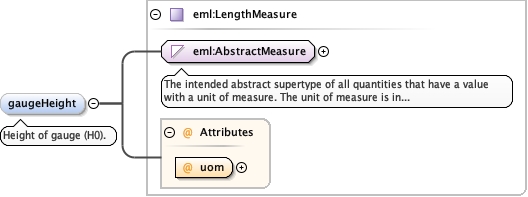
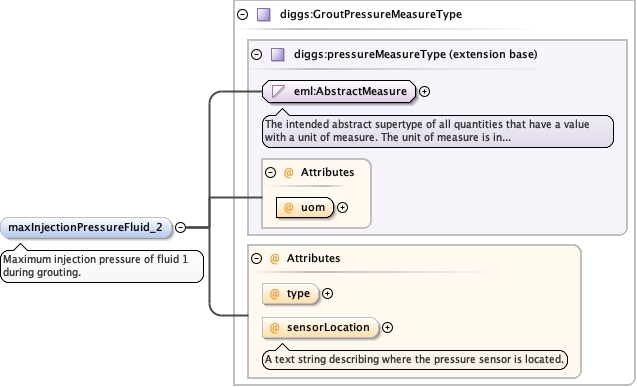
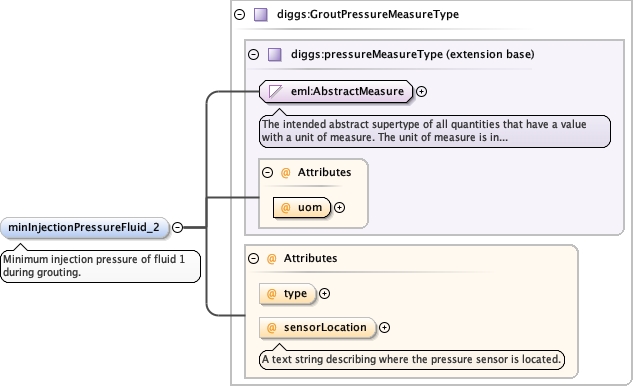
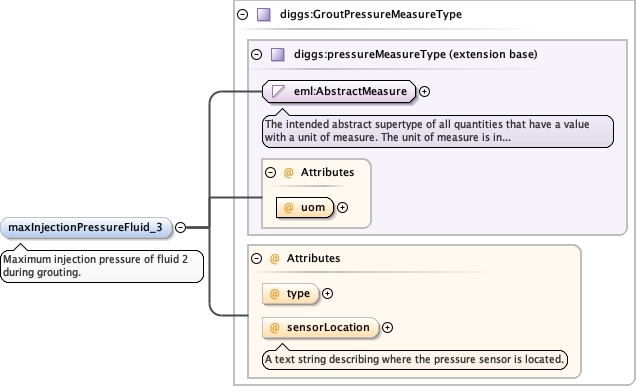
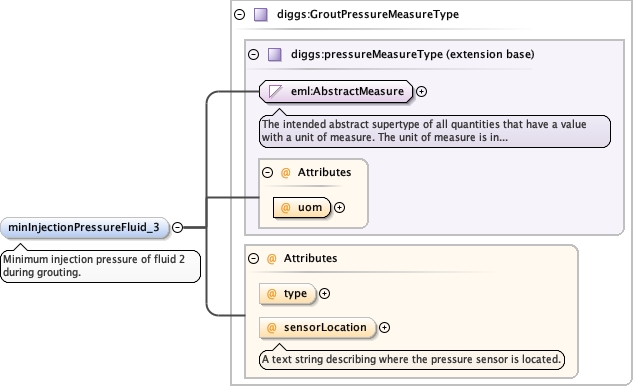
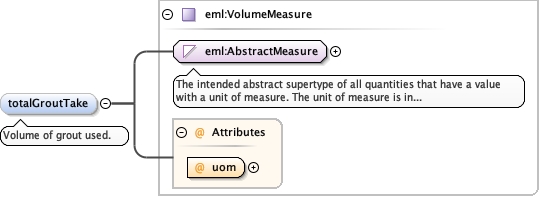
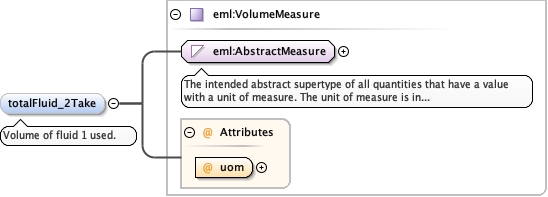
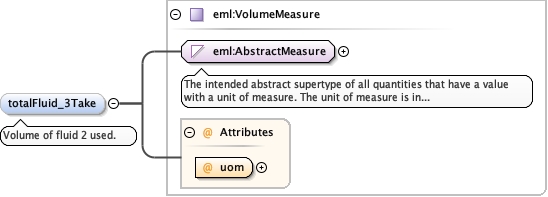
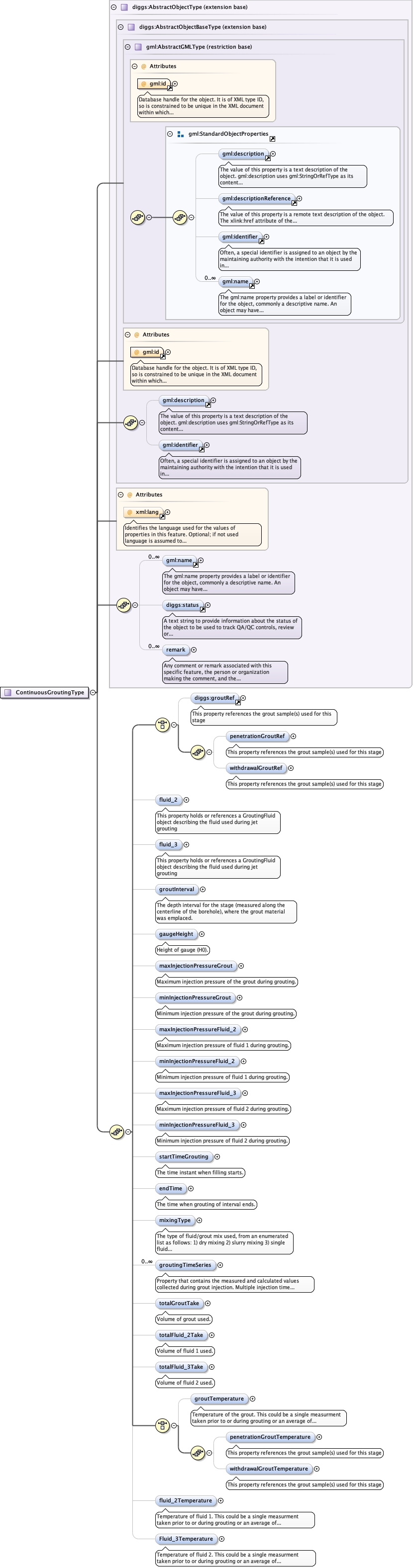
<complexType name="ContinuousGroutingType"><complexContent><extension base="diggs:AbstractObjectType"><sequence><choice><element maxOccurs="1" minOccurs="0" ref="diggs:groutRef"><annotation><appinfo>diggs:GroutBatch</appinfo><documentation>This property references the grout sample(s) used for this stage</documentation></annotation></element><sequence><element maxOccurs="1" minOccurs="0" name="penetrationGroutRef" type="diggs:FeatureReferenceType"><annotation><appinfo>diggs:GroutBatch</appinfo><documentation>This property references the grout sample(s) used for this stage</documentation></annotation></element><element maxOccurs="1" minOccurs="0" name="withdrawalGroutRef" type="diggs:FeatureReferenceType"><annotation><appinfo>diggs:GroutBatch</appinfo><documentation>This property references the grout sample(s) used for this stage</documentation></annotation></element></sequence></choice><element maxOccurs="1" minOccurs="0" name="fluid_2" type="diggs:GroutingFluidPropertyType"><annotation><appinfo/><documentation>This property holds or references a GroutingFluid object describing the fluid used during jet grouting</documentation></annotation></element><element maxOccurs="1" minOccurs="0" name="fluid_3" type="diggs:GroutingFluidPropertyType"><annotation><appinfo/><documentation>This property holds or references a GroutingFluid object describing the fluid used during jet grouting</documentation></annotation></element><element minOccurs="0" name="groutInterval" type="diggs:LinearExtentPropertyType"><annotation><documentation>The depth interval for the stage (measured along the centerline of the borehole), where the grout material was emplaced.</documentation></annotation></element><element name="gaugeHeight" type="eml:LengthMeasure" minOccurs="0"><annotation><documentation>Height of gauge (H0).</documentation></annotation></element><element name="maxInjectionPressureGrout" minOccurs="0" type="diggs:GroutPressureMeasureType"><annotation><documentation>Maximum injection pressure of the grout during grouting.</documentation></annotation></element><element name="minInjectionPressureGrout" minOccurs="0" type="diggs:GroutPressureMeasureType"><annotation><documentation>Minimum injection pressure of the grout during grouting.</documentation></annotation></element><element name="maxInjectionPressureFluid_2" minOccurs="0" type="diggs:GroutPressureMeasureType"><annotation><documentation>Maximum injection pressure of fluid 1 during grouting.</documentation></annotation></element><element name="minInjectionPressureFluid_2" minOccurs="0" type="diggs:GroutPressureMeasureType"><annotation><documentation>Minimum injection pressure of fluid 1 during grouting.</documentation></annotation></element><element name="maxInjectionPressureFluid_3" minOccurs="0" type="diggs:GroutPressureMeasureType"><annotation><documentation>Maximum injection pressure of fluid 2 during grouting.</documentation></annotation></element><element name="minInjectionPressureFluid_3" minOccurs="0" type="diggs:GroutPressureMeasureType"><annotation><documentation>Minimum injection pressure of fluid 2 during grouting.</documentation></annotation></element><element minOccurs="0" name="startTimeGrouting" type="gml:TimeInstantPropertyType"><annotation><documentation>The time instant when filling starts.</documentation></annotation></element><element minOccurs="0" name="endTime" type="gml:TimeInstantPropertyType"><annotation><documentation>The time when grouting of interval ends.</documentation></annotation></element><element minOccurs="0" name="mixingType" type="diggs:MixingTypeEnumType"><annotation><documentation>The type of fluid/grout mix used, from an enumerated list as follows: 1) dry mixing 2) slurry mixing 3) single fluid jet 4) double fluid jet 5) triple fluid jet 6) Other:any string</documentation></annotation></element><element name="groutingTimeSeries" type="diggs:GroutingTimeSeriesPropertyType" minOccurs="0" maxOccurs="unbounded"><annotation><documentation>Property that contains the measured and calculated values collected during grout injection. Multiple injection time series are allowed to delineate between drilling and grouting, or to allow for stopping of the grouting between injection intervals.</documentation></annotation></element><element name="totalGroutTake" type="eml:VolumeMeasure" minOccurs="0"><annotation><documentation>Volume of grout used.</documentation></annotation></element><element name="totalFluid_2Take" type="eml:VolumeMeasure" minOccurs="0"><annotation><documentation>Volume of fluid 1 used.</documentation></annotation></element><element name="totalFluid_3Take" type="eml:VolumeMeasure" minOccurs="0"><annotation><documentation>Volume of fluid 2 used.</documentation></annotation></element><choice><element name="groutTemperature" type="eml:ThermodynamicTemperatureMeasureExt" minOccurs="0"><annotation><documentation>Temperature of the grout. This could be a single measurment taken prior to or during grouting or an average of temperatures measured during the grouting event. Discrete temperature measurements taken during the grouting should be recorded within the grouting time series object.</documentation></annotation></element><sequence><element maxOccurs="1" minOccurs="0" name="penetrationGroutTemperature" type="eml:ThermodynamicTemperatureMeasureExt"><annotation><appinfo>diggs:GroutBatch</appinfo><documentation>This property references the grout sample(s) used for this stage</documentation></annotation></element><element maxOccurs="1" minOccurs="0" name="withdrawalGroutTemperature" type="eml:ThermodynamicTemperatureMeasureExt"><annotation><appinfo>diggs:GroutBatch</appinfo><documentation>This property references the grout sample(s) used for this stage</documentation></annotation></element></sequence></choice><element name="fluid_2Temperature" type="eml:ThermodynamicTemperatureMeasure" minOccurs="0"><annotation><documentation>Temperature of fluid 1. This could be a single measurment taken prior to or during grouting or an average of temperatures measured during the grouting event. Discrete temperature measurements taken during the grouting should be recorded within the grouting time series object.</documentation></annotation></element><element name="Fluid_3Temperature" type="eml:ThermodynamicTemperatureMeasure" minOccurs="0"><annotation><documentation>Temperature of fluid 2. This could be a single measurment taken prior to or during grouting or an average of temperatures measured during the grouting event. Discrete temperature measurements taken during the grouting should be recorded within the grouting time series object.</documentation></annotation></element></sequence></extension></complexContent></complexType>