Showing:

Annotations
Diagrams
Model
Properties
Source
Used by
Element witsml:ChannelData / witsml:Data
Namespace http://www.energistics.org/energyml/data/witsmlv2
Annotations
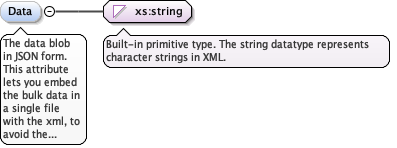
The data blob in JSON form. This attribute lets you embed the bulk data in a single file with the xml, to avoid the issues that arise when splitting data across multiple files.
BUSINESS RULE: Either this element or the FileUri element must be present.
Diagram
Diagram
Type xs:string
Properties
content simple
minOccurs 0
maxOccurs 1
Source
<xs:element name="Data" type="xs:string" minOccurs="0" maxOccurs="1">
  <xs:annotation>
    <xs:documentation>The data blob in JSON form. This attribute lets you embed the bulk data in a single file with the xml, to avoid the issues that arise when splitting data across multiple files. BUSINESS RULE: Either this element or the FileUri element must be present.</xs:documentation>
  </xs:annotation>
</xs:element>
Element witsml:ChannelData / witsml:FileUri
Namespace http://www.energistics.org/energyml/data/witsmlv2
Annotations
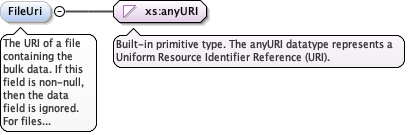
The URI of a file containing the bulk data. If this field is non-null, then the data field is ignored. For files written to disk, this should normally contain a simple file name in relative URI form. For example, if an application writes a log file to disk, it might write the xml as abc.xml, and the bulk data as abc.avro. In this case, the value of this element would be './abc.avro'.

BUSINESS RULE: Either this element or the Data element must be present.
Diagram
Diagram
Type xs:anyURI
Properties
content simple
minOccurs 0
maxOccurs 1
Source
<xs:element name="FileUri" type="xs:anyURI" minOccurs="0" maxOccurs="1">
  <xs:annotation>
    <xs:documentation>The URI of a file containing the bulk data. If this field is non-null, then the data field is ignored. For files written to disk, this should normally contain a simple file name in relative URI form. For example, if an application writes a log file to disk, it might write the xml as abc.xml, and the bulk data as abc.avro. In this case, the value of this element would be './abc.avro'. BUSINESS RULE: Either this element or the Data element must be present.</xs:documentation>
  </xs:annotation>
</xs:element>
Complex Type witsml:ChannelData
Namespace http://www.energistics.org/energyml/data/witsmlv2
Annotations
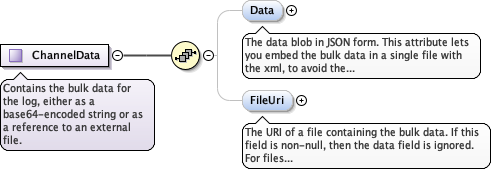
Contains the bulk data for the log, either as a base64-encoded string or as a reference to an external file.
Diagram
DiagramLog_xsd_Complex_Type_witsml_ChannelData.tmp#ChannelData_DataLog_xsd_Complex_Type_witsml_ChannelData.tmp#ChannelData_FileUri
Used by
Model
Children witsml:Data, witsml:FileUri
Source
<xs:complexType name="ChannelData">
  <xs:annotation>
    <xs:documentation>Contains the bulk data for the log, either as a base64-encoded string or as a reference to an external file.</xs:documentation>
  </xs:annotation>
  <xs:sequence>
    <xs:element name="Data" type="xs:string" minOccurs="0" maxOccurs="1">
      <xs:annotation>
        <xs:documentation>The data blob in JSON form. This attribute lets you embed the bulk data in a single file with the xml, to avoid the issues that arise when splitting data across multiple files. BUSINESS RULE: Either this element or the FileUri element must be present.</xs:documentation>
      </xs:annotation>
    </xs:element>
    <xs:element name="FileUri" type="xs:anyURI" minOccurs="0" maxOccurs="1">
      <xs:annotation>
        <xs:documentation>The URI of a file containing the bulk data. If this field is non-null, then the data field is ignored. For files written to disk, this should normally contain a simple file name in relative URI form. For example, if an application writes a log file to disk, it might write the xml as abc.xml, and the bulk data as abc.avro. In this case, the value of this element would be './abc.avro'. BUSINESS RULE: Either this element or the Data element must be present.</xs:documentation>
      </xs:annotation>
    </xs:element>
  </xs:sequence>
</xs:complexType>